What Equipment is Essential for Effective Online Tutoring Sessions?

Setting up online tutoring at home can feel a bit overwhelming at first. Many parents worry about whether they have the right equipment or if they need to invest in expensive technology.
The good news is that you do not need a complicated setup to make online tutoring work well. In most cases, a few basic tools are enough to create a smooth and effective learning experience for your child.
If you are wondering what equipment is essential for effective online tutoring sessions, this guide will walk you through everything you need. It will help you understand what matters most and how to set things up simply and practically.
What Equipment Do You Actually Need for Online Tutoring?
You do not need a long list of equipment to get started with online tutoring. In most cases, a few basic tools are enough to support effective sessions.
These include a laptop or computer, a stable internet connection, a camera and a microphone. Together, these allow your child to see, hear and interact clearly during the lesson. As long as these essentials are in place, online tutoring can run smoothly and without unnecessary stress.
Essential Equipment for Online Tutoring Sessions
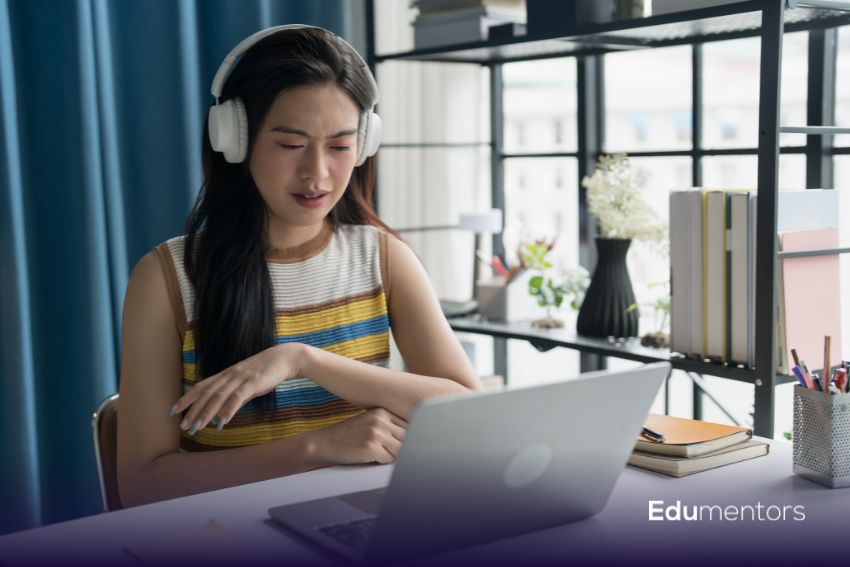
To make online tutoring effective, it is important to have the right basics in place. These do not need to be expensive, but they should work reliably to support each lesson.
A Reliable Laptop or Computer
A laptop or computer is the main device your child will use during lessons. It should run smoothly without freezing or slowing down. This helps avoid interruptions and keeps the session focused.
A Stable Internet Connection
A strong and stable internet connection is essential. It prevents delays, lag or disconnections during the lesson. This allows your child to follow explanations clearly without frustration.
A Good Microphone or Headset
Clear sound is very important in online tutoring. A good microphone or headset makes it easier for your child to hear the tutor and respond without confusion. It also reduces background noise.
A Webcam
A webcam helps create a more interactive and engaging session. Being able to see each other improves communication and helps the tutor understand how your child is responding during the lesson.
Why Audio and Video Quality Matter
Good audio and video quality can make a big difference to how effective an online tutoring session feels. Clear sound helps your child stay focused and understand explanations without needing things repeated. When audio is poor, it can quickly lead to frustration and loss of concentration.
The good video also supports clearer communication. Being able to see the tutor helps your child follow along, stay engaged and feel more involved in the lesson.
It also builds a stronger connection between the tutor and your child. A clear, face-to-face experience makes lessons feel more natural and helps your child feel more comfortable asking questions.
Creating the Right Learning Environment at Home
The space your child learns in can have a big impact on how well online tutoring sessions go.
Try to set up a quiet area where your child can focus without interruptions. Background noise or distractions can make it harder to follow the lesson and stay engaged. Also, good lighting is important. A well-lit space helps the tutor see your child clearly and creates a more comfortable learning environment.
Finally, keep distractions to a minimum. This includes phones, TV or anything else that might take attention away from the session. A calm and organised space helps your child stay focused and get the most out of each lesson.
Optional Equipment That Can Improve Sessions
While the basic setup is enough for most online tutoring sessions, a few extra tools can improve the experience even further.
A drawing tablet or stylus with an iPad can be very helpful, especially for subjects like maths or science. It allows the tutor or student to write and explain ideas more clearly in real time.
A ring light can improve visibility, especially if the room lighting is not ideal. This helps create a clearer and more comfortable visual experience during lessons.
A second screen can also be useful. It allows your child to view lesson materials on one screen while working on another, which can make learning more organised and efficient. These are not essential, but they can make sessions smoother and more interactive over time.
Do You Need Expensive Equipment?
No, you do not need expensive equipment for online tutoring. A simple setup with a laptop, stable internet, camera and microphone is usually more than enough.
What matters most is reliability, not cost. As long as everything works smoothly, your child can take part in lessons without any issues. If needed, you can always upgrade over time. Starting with the basics and improving gradually is often the best approach.
Common Mistakes Parents Should Avoid
Even with the right equipment, a few common issues can affect how well online tutoring sessions run. One of the biggest problems is a poor internet connection. This can cause delays or interruptions, making it harder for your child to follow the lesson.
A noisy environment can also be distracting. Background sounds can make it difficult to hear the tutor clearly and stay focused.
Relying only on a phone is another common mistake. While it may work in some cases, a larger screen, like a laptop or computer, provides a much better learning experience. Lastly, a lack of preparation can affect the session. Not setting up the space or checking equipment beforehand can lead to unnecessary delays.
Simple Tips to Set Up for Success
A few simple steps can help make each online tutoring session run smoothly. Start by testing the equipment before the lesson begins. Make sure everything is working properly to avoid interruptions.
Check the sound and video quality. Clear audio and good visibility make a big difference in how effective the session is. Prepare the learning space in advance. A quiet, organised area helps your child stay focused and ready to learn.
Conclusion
Setting up for online tutoring does not need to be complicated. With a simple and reliable setup, your child can take part in effective and focused lessons from home.
The most important thing is consistency. A stable setup, a quiet space and clear communication can make a big difference over time.
Online tutoring works best when everything feels smooth and comfortable for your child. With the right basics in place, they can stay engaged, build confidence and make steady progress.
You Might Be Interested In
Flexible Online Tutoring Options for Busy Teenagers
What Are the Advantages of One-on-One Academic Support?
FAQs
Do you need a webcam for online tutoring?
A webcam is not always required, but it is highly recommended. It helps the tutor and your child see each other, which improves communication and makes lessons more engaging.
Is a laptop better than a tablet?
In most cases, a laptop or computer works better. It offers a larger screen, easier navigation and better support for learning tools. Tablets can work, but may be more limited depending on the subject.
What internet speed do you need?
A stable internet connection is more important than a very high speed. Generally, at least 10-25 Mbps is enough for smooth video calls, as long as the connection is reliable.
Can my child use a phone?
A phone can work for short sessions, but it is not ideal. The small screen can make it harder to follow lessons and interact properly. A laptop or tablet is usually a better choice.